Showing posts with label em. Show all posts

Monday, October 22, 2018

Oracle Database EM 18 XE Available to Remote Clients

I found lot of posts about Oracle Database 18 XE. It's very interesting for me.  I didn't blog about how to install, because it's very easy for using rpm package and document very helpful.
I was interested in Enterprise Manager Database Express 18.4.0.0.0. How it looks like?
- Installing. I used CentOS7.
[student@centos-learning ~]$ sudo yum -y localinstall oracle-database*18c*
[student@centos-learning ~]$ sudo rpm -qa |grep oracle
oracle-database-preinstall-18c-1.0-1.el7.x86_64
oracle-database-xe-18c-1.0-1.x86_64

[student@centos-learning ~]$ sudo /etc/init.d/oracle-xe-18c configure
Specify a password to be used for database accounts. Oracle recommends that the password entered should be at least 8 characters in length, contain at least 1 uppercase character, 1 lower case character and 1 digit [0-9]. Note that the same password will be used for SYS, SYSTEM and PDBADMIN accounts:
The password you entered contains invalid characters. Enter password:
Confirm the password:
Configuring Oracle Listener.
Listener configuration succeeded.
Configuring Oracle Database XE.
Enter SYS user password:
*********
Enter SYSTEM user password:
********
Enter PDBADMIN User Password:
*********
Prepare for db operation
7% complete
Copying database files
29% complete
Creating and starting Oracle instance
30% complete
31% complete
34% complete
38% complete
41% complete
43% complete
Completing Database Creation
47% complete
50% complete
Creating Pluggable Databases
54% complete
71% complete
Executing Post Configuration Actions
93% complete
Running Custom Scripts
100% complete
Database creation complete. For details check the logfiles at:
 /opt/oracle/cfgtoollogs/dbca/XE.
Database Information:
Global Database Name:XE
System Identifier(SID):XE
Look at the log file "/opt/oracle/cfgtoollogs/dbca/XE/XE.log" for further details.
Connect to Oracle Database using one of the connect strings:
     Pluggable database: centos-learning.surachartopun.com/XEPDB1
     Multitenant container database: centos-learning.surachartopun.com
Use https://localhost:5500/em to access Oracle Enterprise Manager for Oracle Database XE
[student@centos-learning ~]$ netstat -ltn |grep 5500
tcp        0      0 127.0.0.1:5500          0.0.0.0:*               LISTEN
- As I didn't want to connect 127.0.0.1, I changed binding - "Making Oracle Database EM Express Available to Remote Clients"
SQL> !netstat -ltn |grep 5500
tcp        0      0 127.0.0.1:5500          0.0.0.0:*               LISTEN
SQL> !lsnrctl status | grep HTTP
  (DESCRIPTION=(ADDRESS=(PROTOCOL=tcps)(HOST=127.0.0.1)(PORT=5500))(Security=(my_wallet_directory=/opt/oracle/product/18c/dbhomeXE/admin/XE/xdb_wallet))(Presentation=HTTP)(Session=RAW))
SQL>
SQL>
SQL> EXEC DBMS_XDB.SETLISTENERLOCALACCESS(FALSE);
PL/SQL procedure successfully completed.
SQL> !netstat -ltn |grep 5500
tcp        0      0 0.0.0.0:5500            0.0.0.0:*               LISTEN
SQL> !lsnrctl status | grep HTTP
  (DESCRIPTION=(ADDRESS=(PROTOCOL=tcps)(HOST=centos-learning.surachartopun.com)(PORT=5500))(Security=(my_wallet_directory=/opt/oracle/admin/XE/xdb_wallet))(Presentation=HTTP)(Session=RAW))
- Browsed it - https://IP:5500/em

However, I got some error like "Connection with database failed. Database instance might be down."

- Checked alert log file and fixed.
Error: Global ports off in Root, do SetGlobalPortEnabled(TRUE) to enable.
bash-4.2$ tail -f alert_XE.log
2018-10-22T22:06:32.890217+07:00
Global ports off in Root, do SetGlobalPortEnabled(TRUE) to enable.
2018-10-22T22:06:38.489011+07:00
Global ports off in Root, do SetGlobalPortEnabled(TRUE) to enable.
2018-10-22T22:10:32.402822+07:00
Resize operation completed for file# 3, old size 501760K, new size 512000K
2018-10-22T22:15:55.791490+07:00
Global ports off in Root, do SetGlobalPortEnabled(TRUE) to enable.
2018-10-22T22:18:02.248906+07:00
Global ports off in Root, do SetGlobalPortEnabled(TRUE) to enable.
Setting the Global Port for EM Express to Manage a CDB and the PDBs. (It might not be the right solution, but I just wanted to see EM).
SQL> select dbms_xdb_config.getHttpsPort() from dual;
DBMS_XDB_CONFIG.GETHTTPSPORT()
------------------------------
                          5500
SQL> exec dbms_xdb_config.SetGlobalPortEnabled(TRUE)
PL/SQL procedure successfully completed.
- Login again.

It worked fine for now.

Reference: Installation Guide for Linux x86-64

Friday, June 28, 2013

Learn something wtih 12c and enjoy bug life

I often spend a bit time with reading and test new software. Oracle Database 12c is out. That's a good idea for learning. I believe like that. I found people talk about Oracle Multitenant (Pluggable Database) and I know a little bit about it. I plan to write Pluggable Databases with thai language on Blog. Yes, not yet.
As Oracle Multitenant, How to manage it? Which tools? SQL*Plus, Oracle Enterprise Manager Cloud Control (Cloud Control) and Oracle Database Configuration Assistant (DBCA).
Oh! Don't forgot. Good Tool - Oracle SQL Developer ^________________^
How about EM12c Express? Forgot it. It doesn't support Oracle Multitenant. If you create database 12c as Container Database + EM12c Express. On EM12c Express page - Check "Storage", You will not see "Tablespaces" menu.
Anyway, You might get some error in alert log. After creating 12c database as Container Database (+ EM12c Express).
and then tested Login EM12c Express. Oops!
Note: I definitely believe EM12c Express not support Oracle Multitenant Management.
Fri Jun 28 16:00:48 2013
Exception [type: SIGSEGV, Address not mapped to object] [ADDR:0x5] [PC:0xB71F161, qervwRowProcedure()+113] [flags: 0x0, count: 1]
Errors in file /u01/app/oracle/diag/rdbms/orcl/orcl/trace/orcl_s001_2142.trc  (incident=19524):
ORA-07445: exception encountered: core dump [qervwRowProcedure()+113] [SIGSEGV] [ADDR:0x5] [PC:0xB71F161] [Address not mapped to object] []
Use ADRCI or Support Workbench to package the incident.
See Note 411.1 at My Oracle Support for error and packaging details.
Fri Jun 28 16:00:49 2013
Sweep [inc][19524]: completed
Fri Jun 28 16:01:38 2013
found dead shared server 'S001', pid = (36, 20)
Fri Jun 28 16:01:38 2013
Exception [type: SIGSEGV, Address not mapped to object] [ADDR:0x5] [PC:0xB71F161, qervwRowProcedure()+113] [flags: 0x0, count: 1]
Errors in file /u01/app/oracle/diag/rdbms/orcl/orcl/trace/orcl_s002_2144.trc  (incident=19532):
ORA-07445: exception encountered: core dump [qervwRowProcedure()+113] [SIGSEGV] [ADDR:0x5] [PC:0xB71F161] [Address not mapped to object] []
Use ADRCI or Support Workbench to package the incident.
See Note 411.1 at My Oracle Support for error and packaging details.
Fri Jun 28 16:01:51 2013
Sweep [inc][19532]: completed

I think It's all right. Disabled EM12c Express and use another tool to manage it. In work case, Open SR.
By the way, I tested EM12c Express with NON Container Database. It's all right and Perfect!

Saturday, August 18, 2012

Test Ksplice Uptrack

Last post, I wrote about Ksplice Uptrack by using topic Just learn a bit Ksplice Uptrack on Oracle Linux. However, I would like to test it more on Oracle Linux. So, I tried to test on my virtualbox with Oracle Database System and EM 12c, but they're all use Oracle Linux 5.x (x86). I think just fun to know it works or i have to do something more...
Case 1: I installed and tested it on Oracle Database System.
[root@chart01 ~]# uname -r
2.6.32-200.13.1.el5uek
[root@chart01 ~]# cat /etc/oracle-release
Oracle Linux Server release 5.7
[root@chart01 ~]# wget -N https://www.ksplice.com/uptrack/install-uptrack
--2012-08-18 12:15:31--  https://www.ksplice.com/uptrack/install-uptrack
Resolving www.ksplice.com... 137.254.56.32
Connecting to www.ksplice.com|137.254.56.32|:443... connected.
HTTP request sent, awaiting response... 200 OK
Length: 9168 (9.0K) [text/plain]
Saving to: `install-uptrack'
100%[======================================================================================================>] 9,168       30.7K/s   in 0.3s
2012-08-18 12:15:33 (30.7 KB/s) - `install-uptrack' saved [9168/9168]
[root@chart01 ~]# sh install-uptrack keyabcdefghigklm
[ Release detected: ol ]
--2012-08-18 12:16:12--  https://www.ksplice.com/yum/uptrack/ol/ksplice-uptrack-release.noarch.rpm
Resolving www.ksplice.com... 137.254.56.32
Connecting to www.ksplice.com|137.254.56.32|:443... connected.
HTTP request sent, awaiting response... 200 OK
Length: 6876 (6.7K) [application/x-redhat-package-manager]
Saving to: `ksplice-uptrack-release.noarch.rpm'
100%[======================================================================================================>] 6,876       22.8K/s   in 0.3s
2012-08-18 12:16:14 (22.8 KB/s) - `ksplice-uptrack-release.noarch.rpm' saved [6876/6876]
[ Installing Uptrack ]
warning: ksplice-uptrack-release.noarch.rpm: Header V3 DSA signature: NOKEY, key ID 16c083cd
Preparing packages for installation...
ksplice-uptrack-release-1-3
Loaded plugins: rhnplugin, security
This system is not registered with ULN.
ULN support will be disabled.
el5_addons                                                                                                               | 1.2 kB     00:00
el5_oracle_addons                                                                                                        |  951 B     00:00
ksplice-uptrack                                                                                                          |  951 B     00:00
ksplice-uptrack/primary                                                                                                  | 7.0 kB     00:00
ksplice-uptrack                                                                                                                           37/37
ol5_u7_base                                                                                                              | 1.1 kB     00:00
Setting up Install Process
Resolving Dependencies
--> Running transaction check
---> Package uptrack.noarch 0:1.2.1-0.el5 set to be updated
--> Processing Dependency: uptrack-python-pycurl for package: uptrack
--> Processing Dependency: uptrack-PyYAML for package: uptrack
--> Running transaction check
---> Package uptrack-PyYAML.i386 0:3.08-4.el5 set to be updated
--> Processing Dependency: uptrack-libyaml >= 0.1.3-1 for package: uptrack-PyYAML
---> Package uptrack-python-pycurl.i386 0:7.15.5.1-4.el5 set to be updated
--> Running transaction check
---> Package uptrack-libyaml.i386 0:0.1.3-1.el5 set to be updated
--> Finished Dependency Resolution
Dependencies Resolved
================================================================================================================================================
 Package                                  Arch                      Version                            Repository                          Size
================================================================================================================================================
Installing:
 uptrack                                  noarch                    1.2.1-0.el5                        ksplice-uptrack                    401 k
Installing for dependencies:
 uptrack-PyYAML                           i386                      3.08-4.el5                         ksplice-uptrack                    148 k
 uptrack-libyaml                          i386                      0.1.3-1.el5                        ksplice-uptrack                     52 k
 uptrack-python-pycurl                    i386                      7.15.5.1-4.el5                     ksplice-uptrack                     30 k
Transaction Summary
================================================================================================================================================
Install       4 Package(s)
Upgrade       0 Package(s)
Total download size: 631 k
Downloading Packages:
(1/4): uptrack-python-pycurl-7.15.5.1-4.el5.i386.rpm                                                                     |  30 kB     00:00
(2/4): uptrack-libyaml-0.1.3-1.el5.i386.rpm                                                                              |  52 kB     00:01
(3/4): uptrack-PyYAML-3.08-4.el5.i386.rpm                                                                                | 148 kB     00:00
(4/4): uptrack-1.2.1-0.el5.noarch.rpm                                                                                    | 401 kB     00:01
------------------------------------------------------------------------------------------------------------------------------------------------
Total                                                                                                           100 kB/s | 631 kB     00:06
Running rpm_check_debug
Running Transaction Test
Finished Transaction Test
Transaction Test Succeeded
Running Transaction
  Installing     : uptrack-python-pycurl                                                                                                    1/4
  Installing     : uptrack-libyaml                                                                                                          2/4
  Installing     : uptrack-PyYAML                                                                                                           3/4
  Installing     : uptrack                                                                                                                  4/4
Installed:
  uptrack.noarch 0:1.2.1-0.el5
Dependency Installed:
  uptrack-PyYAML.i386 0:3.08-4.el5           uptrack-libyaml.i386 0:0.1.3-1.el5           uptrack-python-pycurl.i386 0:7.15.5.1-4.el5
Complete!
Effective kernel version is 2.6.32-200.16.1.el5uek
The following steps will be taken:
Install [38cr2mf9] Clear garbage data on the kernel stack when handling signals.
Install [851l7ay7] CVE-2011-2491: Local denial of service in NLM subsystem.
Install [y5td821a] CVE-2011-2492: Information leak in bluetooth implementation.
Install [cgrfte83] CVE-2011-2495: Information leak in /proc/PID/io.
Install [0c01fnyz] CVE-2011-2497: Buffer overflow in the Bluetooth subsystem.
Install [uqb4r1nb] CVE-2011-2517: Buffer overflow in nl80211 driver.
Install [wdyhgpn0] CVE-2011-2695: Off-by-one errors in the ext4 filesystem.
Install [104h6pgm] CVE-2011-1576: Denial of service with VLAN packets and GRO.
Install [51opc1ew] CVE-2011-2898: Information leak in packet subsystem
Install [kli1bp5u] CVE-2011-2723: Remote denial of service vulnerability in gro.
Install [0wpicisy] CVE-2011-2496: Local denial of service in mremap().
Install [z8d6tsg2] CVE-2011-2484: Denial of service in taskstats subsystem.
Install [osp7jj4h] CVE-2011-1833: Information disclosure in eCryptfs.
Install [urab4vsz] CVE-2011-1161: Information leak in transmission logic of TPM driver.
Install [plk53jrj] CVE-2011-1162: Information leak in TPM driver.
Install [i3dves1x] CVE-2011-2494: Information leak in task/process statistics.
Install [va1dr6nl] CVE-2011-3188: Weak TCP sequence number generation.
Install [buoz67kb] CVE-2011-1577: Missing boundary checks in GPT partition handling.
Install [6q368w3f] CVE-2011-3191: Memory corruption in CIFS.
Install [6z8vadr3] CVE-2011-3353: Denial of service in FUSE via FUSE_NOTIFY_INVAL_ENTRY.
Install [o17mwpzs] CVE-2011-4326: Denial of service in IPv6 UDP Fragmentation Offload.
Install [pu3ekaxv] CVE-2011-3593: Denial of service in VLAN with priority tagged frames.
Install [wxf95ae3] CVE-2011-2699: Predictable IPv6 fragment identification numbers.
Install [fsvl9mm0] Kernel oops after blk_cleanup_queue.
Install [liku2hph] ext3 filesystem corruption when no space is left on the device.
Install [p0gkcc94] Denial of service in JBD fsync transaction handling.
Install [cwr9jeon] Denial of service in CFQ IO scheduler.
Install [oakdu5jg] System freeze in JMicron driver.
Install [nmsfy60z] Kernel BUG in ext3 xattr handling.
Install [kb2muk06] svrpc: Fix memory corruption on nfsd shutdown.
Install [k9bhudr1] CVE-2011-1585: Authentication bypass in CIFS.
Install [ceekz8jj] Incorrect index handling in snd_pcm_ioctl_xfern_compat.
Install [f2yxgs6h] NULL pointer deference in dm multipath driver.
Install [t24c3gr3] Race condition in process ID generation.
Install [5gdmgzs5] Denial of service in Data Center Bridging.
Install [y2pb2uiq] CVE-2011-4110: Denial of service in kernel key management facilities.
Install [q5v0cdtr] Improved fix for CVE-2011-2495: Information leak in /proc/PID/io.
Install [j9162l3h] CVE-2011-3638: Disk layout corruption bug in ext4 filesystem.
Install [wv0wphmk] Privilege escalation in Sun RPC credential cache.
Install [u0li1k65] CVE-2011-2525: Denial of Service in packet scheduler API.
Install [3slsdcc3] Denial of service in NFSv4 server open downgrade operation.
Install [oy6lqdzi] Corruption with sendfile to non-sockets.
Install [grpna20g] CVE-2011-1020: Missing access restrictions in /proc subsystem.
Install [niey6as5] CVE-2011-4127: KVM privilege escalation through insufficient validation in SG_IO ioctl.
Install [thiac7zn] CVE-2011-1493: Insufficient validation in X.25 Rose parsing.
Install [vo1qha56] Additional fix for CVE-2011-1576: Denial of service with VLAN packets and GRO.
Install [ef7474kn] Improved fix for CVE-2010-2962.
Install [g132ofzi] Improved fix for CVE-2012-0038.
Install [gor7i2ji] Kernel panic in the SCSI device handler.
Install [9v4pshnd] Client with an NFSv4 mount becomes unstable after the server is restarted.
Install [n7geo24l] NFS client connecting to the server hangs if packet loss occurs.
Install [0293fmts] Under certain circumstances mounting NFS shares causes a kernel panic.
Install [74i0mz7p] Regression: Kernel panic when loading ip_gre.
Install [dbal6kd1] CVE-2012-0207: Denial of service bug in IGMP.
Install [g657ovaw] CVE-2012-0045: Denial of service in KVM system call emulation.
Install [exkoe0vq] CVE-2012-0038: In-memory corruption in XFS ACL processing.
Install [8avpjl2n] CVE-2011-4622: NULL pointer deference in KVM interval timer emulation.
Install [pfh2b8mh] CVE-2011-4347: Denial of service in KVM device assignment.
Install [ygm383t1] CVE-2011-4132: Denial of service in Journaling Block Device layer.
Install [24rvyncn] CVE-2011-4081: NULL pointer dereference in GHASH cryptographic algorithm.
Install [p06foplj] CVE-2011-4077: Buffer overflow in xfs_readlink.
Install [1onq9hr7] NULL pointer dereference in Emulex LightPulse Fibre Channel driver.
Install [r04whcg5] Memory corruption on nfsd shutdown.
Install [zka6db04] Double-free on nfsd thread pool mode selection.
Install [s3yfc07f] CVE-2012-0879: Denial of service in CLONE_IO.
Install [qjgns9ip] CVE-2012-1090: Denial of service in the CIFS filesystem reference counting.
Install [tcayrn0l] CVE-2012-1097: NULL pointer dereference in the ptrace subsystem.
Install [pyw78d80] Improve performance of kernel core dump.
Install [fx7kfa15] CVE-2012-1601: Denial of service in KVM VCPU creation.
Install [tjc82ceu] NULL pointer dereference in SCSI subsystem.
Install [e8r1ea4e] CVE-2011-4086: Denial of service in journaling block device.
Install [guwvu3w1] Race condition in cgroup process handling.
Install [huzrhonl] CVE-2012-2123: Privilege escalation when assigning permissions using fcaps.
Install [y9qx1t1v] CVE-2012-2136: Privilege escalation in TUN/TAP virtual device.
Install [zptpf9b5] Load spike in leap second insertion.
Install [32n8l4a7] CVE-2012-2745: Denial-of-service in kernel key management.
Install [lj4a9kl2] CVE-2011-1083: Algorithmic denial of service in epoll.
Install [emfe92fk] Unreliable futexes with read-only shared mappings.
Install [8rtl85bo] ext4 filesystem corruption on fallocate.
Install [x4lbeahm] Don't fail starting FCOE in uniprocessor environment.
Install [kjst4u31] Reference count leak in futex transparent hugepage handling.
Install [ha20j9qm] Denial of service in futexes located in special memory regions.
[ Installation Complete! ]
[ Please run '/usr/sbin/uptrack-upgrade -y' to bring your system up to date ]
[root@chart01 ~]#
[root@chart01 ~]# ps -aef | grep pmon
oracle    3610     1  0 12:04 ?        00:00:00 ora_pmon_orcl
root      5368  4182  0 12:20 pts/0    00:00:00 grep pmon
[root@chart01 ~]# uptrack-show
Installed updates:
None
Effective kernel version is 2.6.32-200.16.1.el5uek
[root@chart01 ~]# uptrack-show --available
Available updates:
[38cr2mf9] Clear garbage data on the kernel stack when handling signals.
[851l7ay7] CVE-2011-2491: Local denial of service in NLM subsystem.
[y5td821a] CVE-2011-2492: Information leak in bluetooth implementation.
[cgrfte83] CVE-2011-2495: Information leak in /proc/PID/io.
[0c01fnyz] CVE-2011-2497: Buffer overflow in the Bluetooth subsystem.
[uqb4r1nb] CVE-2011-2517: Buffer overflow in nl80211 driver.
[wdyhgpn0] CVE-2011-2695: Off-by-one errors in the ext4 filesystem.
[104h6pgm] CVE-2011-1576: Denial of service with VLAN packets and GRO.
[51opc1ew] CVE-2011-2898: Information leak in packet subsystem
[kli1bp5u] CVE-2011-2723: Remote denial of service vulnerability in gro.
[0wpicisy] CVE-2011-2496: Local denial of service in mremap().
[z8d6tsg2] CVE-2011-2484: Denial of service in taskstats subsystem.
[osp7jj4h] CVE-2011-1833: Information disclosure in eCryptfs.
[urab4vsz] CVE-2011-1161: Information leak in transmission logic of TPM driver.
[plk53jrj] CVE-2011-1162: Information leak in TPM driver.
[i3dves1x] CVE-2011-2494: Information leak in task/process statistics.
[va1dr6nl] CVE-2011-3188: Weak TCP sequence number generation.
[buoz67kb] CVE-2011-1577: Missing boundary checks in GPT partition handling.
[6q368w3f] CVE-2011-3191: Memory corruption in CIFS.
[6z8vadr3] CVE-2011-3353: Denial of service in FUSE via FUSE_NOTIFY_INVAL_ENTRY.
[o17mwpzs] CVE-2011-4326: Denial of service in IPv6 UDP Fragmentation Offload.
[pu3ekaxv] CVE-2011-3593: Denial of service in VLAN with priority tagged frames.
[wxf95ae3] CVE-2011-2699: Predictable IPv6 fragment identification numbers.
[fsvl9mm0] Kernel oops after blk_cleanup_queue.
[liku2hph] ext3 filesystem corruption when no space is left on the device.
[p0gkcc94] Denial of service in JBD fsync transaction handling.
[cwr9jeon] Denial of service in CFQ IO scheduler.
[oakdu5jg] System freeze in JMicron driver.
[nmsfy60z] Kernel BUG in ext3 xattr handling.
[kb2muk06] svrpc: Fix memory corruption on nfsd shutdown.
[k9bhudr1] CVE-2011-1585: Authentication bypass in CIFS.
[ceekz8jj] Incorrect index handling in snd_pcm_ioctl_xfern_compat.
[f2yxgs6h] NULL pointer deference in dm multipath driver.
[t24c3gr3] Race condition in process ID generation.
[5gdmgzs5] Denial of service in Data Center Bridging.
[y2pb2uiq] CVE-2011-4110: Denial of service in kernel key management facilities.
[q5v0cdtr] Improved fix for CVE-2011-2495: Information leak in /proc/PID/io.
[j9162l3h] CVE-2011-3638: Disk layout corruption bug in ext4 filesystem.
[wv0wphmk] Privilege escalation in Sun RPC credential cache.
[u0li1k65] CVE-2011-2525: Denial of Service in packet scheduler API.
[3slsdcc3] Denial of service in NFSv4 server open downgrade operation.
[oy6lqdzi] Corruption with sendfile to non-sockets.
[grpna20g] CVE-2011-1020: Missing access restrictions in /proc subsystem.
[niey6as5] CVE-2011-4127: KVM privilege escalation through insufficient validation in SG_IO ioctl.
[thiac7zn] CVE-2011-1493: Insufficient validation in X.25 Rose parsing.
[vo1qha56] Additional fix for CVE-2011-1576: Denial of service with VLAN packets and GRO.
[ef7474kn] Improved fix for CVE-2010-2962.
[g132ofzi] Improved fix for CVE-2012-0038.
[gor7i2ji] Kernel panic in the SCSI device handler.
[9v4pshnd] Client with an NFSv4 mount becomes unstable after the server is restarted.
[n7geo24l] NFS client connecting to the server hangs if packet loss occurs.
[0293fmts] Under certain circumstances mounting NFS shares causes a kernel panic.
[74i0mz7p] Regression: Kernel panic when loading ip_gre.
[dbal6kd1] CVE-2012-0207: Denial of service bug in IGMP.
[g657ovaw] CVE-2012-0045: Denial of service in KVM system call emulation.
[exkoe0vq] CVE-2012-0038: In-memory corruption in XFS ACL processing.
[8avpjl2n] CVE-2011-4622: NULL pointer deference in KVM interval timer emulation.
[pfh2b8mh] CVE-2011-4347: Denial of service in KVM device assignment.
[ygm383t1] CVE-2011-4132: Denial of service in Journaling Block Device layer.
[24rvyncn] CVE-2011-4081: NULL pointer dereference in GHASH cryptographic algorithm.
[p06foplj] CVE-2011-4077: Buffer overflow in xfs_readlink.
[1onq9hr7] NULL pointer dereference in Emulex LightPulse Fibre Channel driver.
[r04whcg5] Memory corruption on nfsd shutdown.
[zka6db04] Double-free on nfsd thread pool mode selection.
[s3yfc07f] CVE-2012-0879: Denial of service in CLONE_IO.
[qjgns9ip] CVE-2012-1090: Denial of service in the CIFS filesystem reference counting.
[tcayrn0l] CVE-2012-1097: NULL pointer dereference in the ptrace subsystem.
[pyw78d80] Improve performance of kernel core dump.
[fx7kfa15] CVE-2012-1601: Denial of service in KVM VCPU creation.
[tjc82ceu] NULL pointer dereference in SCSI subsystem.
[e8r1ea4e] CVE-2011-4086: Denial of service in journaling block device.
[guwvu3w1] Race condition in cgroup process handling.
[huzrhonl] CVE-2012-2123: Privilege escalation when assigning permissions using fcaps.
[y9qx1t1v] CVE-2012-2136: Privilege escalation in TUN/TAP virtual device.
[zptpf9b5] Load spike in leap second insertion.
[32n8l4a7] CVE-2012-2745: Denial-of-service in kernel key management.
[lj4a9kl2] CVE-2011-1083: Algorithmic denial of service in epoll.
[emfe92fk] Unreliable futexes with read-only shared mappings.
[8rtl85bo] ext4 filesystem corruption on fallocate.
[x4lbeahm] Don't fail starting FCOE in uniprocessor environment.
[kjst4u31] Reference count leak in futex transparent hugepage handling.
[ha20j9qm] Denial of service in futexes located in special memory regions.
Effective kernel version is 2.6.32-200.16.1.el5uek
[root@chart01 ~]#
[root@chart01 ~]# uname -r
2.6.32-200.13.1.el5uek
[root@chart01 ~]# uptrack-uname -r
2.6.32-200.13.1.el5uek
[root@chart01 ~]#
[root@chart01 ~]#
[root@chart01 ~]# uptrack-upgrade -y
The following steps will be taken:
Install [38cr2mf9] Clear garbage data on the kernel stack when handling signals.
Install [851l7ay7] CVE-2011-2491: Local denial of service in NLM subsystem.
Install [y5td821a] CVE-2011-2492: Information leak in bluetooth implementation.
Install [cgrfte83] CVE-2011-2495: Information leak in /proc/PID/io.
Install [0c01fnyz] CVE-2011-2497: Buffer overflow in the Bluetooth subsystem.
Install [uqb4r1nb] CVE-2011-2517: Buffer overflow in nl80211 driver.
Install [wdyhgpn0] CVE-2011-2695: Off-by-one errors in the ext4 filesystem.
Install [104h6pgm] CVE-2011-1576: Denial of service with VLAN packets and GRO.
Install [51opc1ew] CVE-2011-2898: Information leak in packet subsystem
Install [kli1bp5u] CVE-2011-2723: Remote denial of service vulnerability in gro.
Install [0wpicisy] CVE-2011-2496: Local denial of service in mremap().
Install [z8d6tsg2] CVE-2011-2484: Denial of service in taskstats subsystem.
Install [osp7jj4h] CVE-2011-1833: Information disclosure in eCryptfs.
Install [urab4vsz] CVE-2011-1161: Information leak in transmission logic of TPM driver.
Install [plk53jrj] CVE-2011-1162: Information leak in TPM driver.
Install [i3dves1x] CVE-2011-2494: Information leak in task/process statistics.
Install [va1dr6nl] CVE-2011-3188: Weak TCP sequence number generation.
Install [buoz67kb] CVE-2011-1577: Missing boundary checks in GPT partition handling.
Install [6q368w3f] CVE-2011-3191: Memory corruption in CIFS.
Install [6z8vadr3] CVE-2011-3353: Denial of service in FUSE via FUSE_NOTIFY_INVAL_ENTRY.
Install [o17mwpzs] CVE-2011-4326: Denial of service in IPv6 UDP Fragmentation Offload.
Install [pu3ekaxv] CVE-2011-3593: Denial of service in VLAN with priority tagged frames.
Install [wxf95ae3] CVE-2011-2699: Predictable IPv6 fragment identification numbers.
Install [fsvl9mm0] Kernel oops after blk_cleanup_queue.
Install [liku2hph] ext3 filesystem corruption when no space is left on the device.
Install [p0gkcc94] Denial of service in JBD fsync transaction handling.
Install [cwr9jeon] Denial of service in CFQ IO scheduler.
Install [oakdu5jg] System freeze in JMicron driver.
Install [nmsfy60z] Kernel BUG in ext3 xattr handling.
Install [kb2muk06] svrpc: Fix memory corruption on nfsd shutdown.
Install [k9bhudr1] CVE-2011-1585: Authentication bypass in CIFS.
Install [ceekz8jj] Incorrect index handling in snd_pcm_ioctl_xfern_compat.
Install [f2yxgs6h] NULL pointer deference in dm multipath driver.
Install [t24c3gr3] Race condition in process ID generation.
Install [5gdmgzs5] Denial of service in Data Center Bridging.
Install [y2pb2uiq] CVE-2011-4110: Denial of service in kernel key management facilities.
Install [q5v0cdtr] Improved fix for CVE-2011-2495: Information leak in /proc/PID/io.
Install [j9162l3h] CVE-2011-3638: Disk layout corruption bug in ext4 filesystem.
Install [wv0wphmk] Privilege escalation in Sun RPC credential cache.
Install [u0li1k65] CVE-2011-2525: Denial of Service in packet scheduler API.
Install [3slsdcc3] Denial of service in NFSv4 server open downgrade operation.
Install [oy6lqdzi] Corruption with sendfile to non-sockets.
Install [grpna20g] CVE-2011-1020: Missing access restrictions in /proc subsystem.
Install [niey6as5] CVE-2011-4127: KVM privilege escalation through insufficient validation in SG_IO ioctl.
Install [thiac7zn] CVE-2011-1493: Insufficient validation in X.25 Rose parsing.
Install [vo1qha56] Additional fix for CVE-2011-1576: Denial of service with VLAN packets and GRO.
Install [ef7474kn] Improved fix for CVE-2010-2962.
Install [g132ofzi] Improved fix for CVE-2012-0038.
Install [gor7i2ji] Kernel panic in the SCSI device handler.
Install [9v4pshnd] Client with an NFSv4 mount becomes unstable after the server is restarted.
Install [n7geo24l] NFS client connecting to the server hangs if packet loss occurs.
Install [0293fmts] Under certain circumstances mounting NFS shares causes a kernel panic.
Install [74i0mz7p] Regression: Kernel panic when loading ip_gre.
Install [dbal6kd1] CVE-2012-0207: Denial of service bug in IGMP.
Install [g657ovaw] CVE-2012-0045: Denial of service in KVM system call emulation.
Install [exkoe0vq] CVE-2012-0038: In-memory corruption in XFS ACL processing.
Install [8avpjl2n] CVE-2011-4622: NULL pointer deference in KVM interval timer emulation.
Install [pfh2b8mh] CVE-2011-4347: Denial of service in KVM device assignment.
Install [ygm383t1] CVE-2011-4132: Denial of service in Journaling Block Device layer.
Install [24rvyncn] CVE-2011-4081: NULL pointer dereference in GHASH cryptographic algorithm.
Install [p06foplj] CVE-2011-4077: Buffer overflow in xfs_readlink.
Install [1onq9hr7] NULL pointer dereference in Emulex LightPulse Fibre Channel driver.
Install [r04whcg5] Memory corruption on nfsd shutdown.
Install [zka6db04] Double-free on nfsd thread pool mode selection.
Install [s3yfc07f] CVE-2012-0879: Denial of service in CLONE_IO.
Install [qjgns9ip] CVE-2012-1090: Denial of service in the CIFS filesystem reference counting.
Install [tcayrn0l] CVE-2012-1097: NULL pointer dereference in the ptrace subsystem.
Install [pyw78d80] Improve performance of kernel core dump.
Install [fx7kfa15] CVE-2012-1601: Denial of service in KVM VCPU creation.
Install [tjc82ceu] NULL pointer dereference in SCSI subsystem.
Install [e8r1ea4e] CVE-2011-4086: Denial of service in journaling block device.
Install [guwvu3w1] Race condition in cgroup process handling.
Install [huzrhonl] CVE-2012-2123: Privilege escalation when assigning permissions using fcaps.
Install [y9qx1t1v] CVE-2012-2136: Privilege escalation in TUN/TAP virtual device.
Install [zptpf9b5] Load spike in leap second insertion.
Install [32n8l4a7] CVE-2012-2745: Denial-of-service in kernel key management.
Install [lj4a9kl2] CVE-2011-1083: Algorithmic denial of service in epoll.
Install [emfe92fk] Unreliable futexes with read-only shared mappings.
Install [8rtl85bo] ext4 filesystem corruption on fallocate.
Install [x4lbeahm] Don't fail starting FCOE in uniprocessor environment.
Install [kjst4u31] Reference count leak in futex transparent hugepage handling.
Install [ha20j9qm] Denial of service in futexes located in special memory regions.
Installing [38cr2mf9] Clear garbage data on the kernel stack when handling signals.
Installing [851l7ay7] CVE-2011-2491: Local denial of service in NLM subsystem.
Installing [y5td821a] CVE-2011-2492: Information leak in bluetooth implementation.
Installing [cgrfte83] CVE-2011-2495: Information leak in /proc/PID/io.
Installing [0c01fnyz] CVE-2011-2497: Buffer overflow in the Bluetooth subsystem.
Installing [uqb4r1nb] CVE-2011-2517: Buffer overflow in nl80211 driver.
Installing [wdyhgpn0] CVE-2011-2695: Off-by-one errors in the ext4 filesystem.
Installing [104h6pgm] CVE-2011-1576: Denial of service with VLAN packets and GRO.
Installing [51opc1ew] CVE-2011-2898: Information leak in packet subsystem
Installing [kli1bp5u] CVE-2011-2723: Remote denial of service vulnerability in gro.
Installing [0wpicisy] CVE-2011-2496: Local denial of service in mremap().
Installing [z8d6tsg2] CVE-2011-2484: Denial of service in taskstats subsystem.
Installing [osp7jj4h] CVE-2011-1833: Information disclosure in eCryptfs.
Installing [urab4vsz] CVE-2011-1161: Information leak in transmission logic of TPM driver.
Installing [plk53jrj] CVE-2011-1162: Information leak in TPM driver.
Installing [i3dves1x] CVE-2011-2494: Information leak in task/process statistics.
Installing [va1dr6nl] CVE-2011-3188: Weak TCP sequence number generation.
Installing [buoz67kb] CVE-2011-1577: Missing boundary checks in GPT partition handling.
Installing [6q368w3f] CVE-2011-3191: Memory corruption in CIFS.
Installing [6z8vadr3] CVE-2011-3353: Denial of service in FUSE via FUSE_NOTIFY_INVAL_ENTRY.
Installing [o17mwpzs] CVE-2011-4326: Denial of service in IPv6 UDP Fragmentation Offload.
Installing [pu3ekaxv] CVE-2011-3593: Denial of service in VLAN with priority tagged frames.
Installing [wxf95ae3] CVE-2011-2699: Predictable IPv6 fragment identification numbers.
Installing [fsvl9mm0] Kernel oops after blk_cleanup_queue.
Installing [liku2hph] ext3 filesystem corruption when no space is left on the device.
Installing [p0gkcc94] Denial of service in JBD fsync transaction handling.
Installing [cwr9jeon] Denial of service in CFQ IO scheduler.
Installing [oakdu5jg] System freeze in JMicron driver.
Installing [nmsfy60z] Kernel BUG in ext3 xattr handling.
Installing [kb2muk06] svrpc: Fix memory corruption on nfsd shutdown.
Installing [k9bhudr1] CVE-2011-1585: Authentication bypass in CIFS.
Installing [ceekz8jj] Incorrect index handling in snd_pcm_ioctl_xfern_compat.
Installing [f2yxgs6h] NULL pointer deference in dm multipath driver.
Installing [t24c3gr3] Race condition in process ID generation.
Installing [5gdmgzs5] Denial of service in Data Center Bridging.
Installing [y2pb2uiq] CVE-2011-4110: Denial of service in kernel key management facilities.
Installing [q5v0cdtr] Improved fix for CVE-2011-2495: Information leak in /proc/PID/io.
Installing [j9162l3h] CVE-2011-3638: Disk layout corruption bug in ext4 filesystem.
Installing [wv0wphmk] Privilege escalation in Sun RPC credential cache.
Installing [u0li1k65] CVE-2011-2525: Denial of Service in packet scheduler API.
Installing [3slsdcc3] Denial of service in NFSv4 server open downgrade operation.
Installing [oy6lqdzi] Corruption with sendfile to non-sockets.
Installing [grpna20g] CVE-2011-1020: Missing access restrictions in /proc subsystem.
Installing [niey6as5] CVE-2011-4127: KVM privilege escalation through insufficient validation in SG_IO ioctl.
Installing [thiac7zn] CVE-2011-1493: Insufficient validation in X.25 Rose parsing.
Installing [vo1qha56] Additional fix for CVE-2011-1576: Denial of service with VLAN packets and GRO.
Installing [ef7474kn] Improved fix for CVE-2010-2962.
Installing [g132ofzi] Improved fix for CVE-2012-0038.
Installing [gor7i2ji] Kernel panic in the SCSI device handler.
Installing [9v4pshnd] Client with an NFSv4 mount becomes unstable after the server is restarted.
Installing [n7geo24l] NFS client connecting to the server hangs if packet loss occurs.
Installing [0293fmts] Under certain circumstances mounting NFS shares causes a kernel panic.
Installing [74i0mz7p] Regression: Kernel panic when loading ip_gre.
Installing [dbal6kd1] CVE-2012-0207: Denial of service bug in IGMP.
Installing [g657ovaw] CVE-2012-0045: Denial of service in KVM system call emulation.
Installing [exkoe0vq] CVE-2012-0038: In-memory corruption in XFS ACL processing.
Installing [8avpjl2n] CVE-2011-4622: NULL pointer deference in KVM interval timer emulation.
Installing [pfh2b8mh] CVE-2011-4347: Denial of service in KVM device assignment.
Installing [ygm383t1] CVE-2011-4132: Denial of service in Journaling Block Device layer.
Installing [24rvyncn] CVE-2011-4081: NULL pointer dereference in GHASH cryptographic algorithm.
Installing [p06foplj] CVE-2011-4077: Buffer overflow in xfs_readlink.
Installing [1onq9hr7] NULL pointer dereference in Emulex LightPulse Fibre Channel driver.
Installing [r04whcg5] Memory corruption on nfsd shutdown.
Installing [zka6db04] Double-free on nfsd thread pool mode selection.
Installing [s3yfc07f] CVE-2012-0879: Denial of service in CLONE_IO.
Installing [qjgns9ip] CVE-2012-1090: Denial of service in the CIFS filesystem reference counting.
Installing [tcayrn0l] CVE-2012-1097: NULL pointer dereference in the ptrace subsystem.
Installing [pyw78d80] Improve performance of kernel core dump.
Installing [fx7kfa15] CVE-2012-1601: Denial of service in KVM VCPU creation.
Installing [tjc82ceu] NULL pointer dereference in SCSI subsystem.
Installing [e8r1ea4e] CVE-2011-4086: Denial of service in journaling block device.
Installing [guwvu3w1] Race condition in cgroup process handling.
Installing [huzrhonl] CVE-2012-2123: Privilege escalation when assigning permissions using fcaps.
Installing [y9qx1t1v] CVE-2012-2136: Privilege escalation in TUN/TAP virtual device.
Installing [zptpf9b5] Load spike in leap second insertion.
Installing [32n8l4a7] CVE-2012-2745: Denial-of-service in kernel key management.
Installing [lj4a9kl2] CVE-2011-1083: Algorithmic denial of service in epoll.
Installing [emfe92fk] Unreliable futexes with read-only shared mappings.
Installing [8rtl85bo] ext4 filesystem corruption on fallocate.
Installing [x4lbeahm] Don't fail starting FCOE in uniprocessor environment.
Installing [kjst4u31] Reference count leak in futex transparent hugepage handling.
Installing [ha20j9qm] Denial of service in futexes located in special memory regions.
Your kernel is fully up to date.
Effective kernel version is 2.6.32-300.32.1.el5uek
[root@chart01 ~]#
[root@chart01 ~]# uname -r
2.6.32-200.13.1.el5uek
[root@chart01 ~]# uptrack-uname -r
2.6.32-300.32.1.el5uek
[root@chart01 ~]#
[root@chart01 ~]# ps -aef | grep pmon
oracle    3610     1  0 12:04 ?        00:00:00 ora_pmon_orcl
root      7405  4182  0 12:24 pts/0    00:00:00 grep pmon
No errors and database still run. Wow! that's good. I don't stop anything. 

Case 2: I installed and tested it on EM12c System. Unfortunately,  One or more programs
are constantly using the kernel functions patched by this update.
[oracle@em12c bin]$ ./emctl status oms
Oracle Enterprise Manager Cloud Control 12c Release 12.1.0.1.0
Copyright (c) 1996, 2012 Oracle Corporation.  All rights reserved.
WebTier is Up
Oracle Management Server is Up
[oracle@em12c bin]$ ./emctl status oms -details
Oracle Enterprise Manager Cloud Control 12c Release 12.1.0.1.0
Copyright (c) 1996, 2012 Oracle Corporation.  All rights reserved.
Enter Enterprise Manager Root (SYSMAN) Password :

Console Server Host : em12c.surachartopun.com
HTTP Console Port   : 7788
HTTPS Console Port  : 7799
HTTP Upload Port    : 4889
HTTPS Upload Port   : 4900
OMS is not configured with SLB or virtual hostname
Agent Upload is locked.
OMS Console is locked.
Active CA ID: 1
Console URL: https://em12c.surachartopun.com:7799/em
Upload URL: https://em12c.surachartopun.com:4900/empbs/upload
WLS Domain Information
Domain Name      : GCDomain
Admin Server Host: em12c.surachartopun.com
Managed Server Information
Managed Server Instance Name: EMGC_OMS1
Managed Server Instance Host: em12c.surachartopun.com
[oracle@em12c bin]$ su -
Password:
[root@em12c ~]#
[root@em12c ~]#
[root@em12c ~]# uname -r
2.6.39-200.24.1.el5uek
[root@em12c ~]# cat /etc/oracle-release
Oracle Linux Server release 5.8
[root@em12c ~]#
[root@em12c ~]# wget -N https://www.ksplice.com/uptrack/install-uptrack
--2012-08-18 12:31:26--  https://www.ksplice.com/uptrack/install-uptrack
Resolving www.ksplice.com... 137.254.56.32
Connecting to www.ksplice.com|137.254.56.32|:443... connected.
HTTP request sent, awaiting response... 200 OK
Length: 9168 (9.0K) [text/plain]
Saving to: `install-uptrack'
100%[======================================================================================================>] 9,168       --.-K/s   in 0.006s
2012-08-18 12:31:29 (1.48 MB/s) - `install-uptrack' saved [9168/9168]
[root@em12c ~]# sh install-uptrack keyabcdefghigklm
[ Release detected: ol ]
--2012-08-18 12:31:45--  https://www.ksplice.com/yum/uptrack/ol/ksplice-uptrack-release.noarch.rpm
Resolving www.ksplice.com... 137.254.56.32
Connecting to www.ksplice.com|137.254.56.32|:443... connected.
HTTP request sent, awaiting response... 200 OK
Length: 6876 (6.7K) [application/x-redhat-package-manager]
Saving to: `ksplice-uptrack-release.noarch.rpm'
100%[======================================================================================================>] 6,876       --.-K/s   in 0.001s
2012-08-18 12:31:47 (8.61 MB/s) - `ksplice-uptrack-release.noarch.rpm' saved [6876/6876]
[ Installing Uptrack ]
warning: ksplice-uptrack-release.noarch.rpm: Header V3 DSA signature: NOKEY, key ID 16c083cd
Preparing packages for installation...
ksplice-uptrack-release-1-3
Loaded plugins: rhnplugin, security
This system is not registered with ULN.
ULN support will be disabled.
el5_addons                                                                                                               | 1.2 kB     00:00
el5_latest                                                                                                               | 1.4 kB     00:00
el5_latest/primary                                                                                                       | 7.9 MB     00:40
el5_latest                                                                                                                            7790/7790
el5_oracle_addons                                                                                                        |  951 B     00:00
el5_unsupported                                                                                                          |  951 B     00:00
el5_unsupported/primary                                                                                                  | 251 kB     00:01
el5_unsupported                                                                                                                       1099/1099
ksplice-uptrack                                                                                                          |  951 B     00:00
ksplice-uptrack/primary                                                                                                  | 7.0 kB     00:00
ksplice-uptrack                                                                                                                           37/37
ol5_UEK_base                                                                                                             |  951 B     00:00
ol5_UEK_latest                                                                                                           | 1.2 kB     00:00
ol5_u7_base                                                                                                              | 1.1 kB     00:00
ol5_u8_base                                                                                                              | 1.4 kB     00:00
ol5_u8_base/primary                                                                                                      | 1.4 MB     00:07
ol5_u8_base: [##################################################################################################################### ] 3803/3804Setting up Install Process
Resolving Dependencies
--> Running transaction check
---> Package uptrack.noarch 0:1.2.1-0.el5 set to be updated
--> Processing Dependency: uptrack-python-pycurl for package: uptrack
--> Processing Dependency: uptrack-PyYAML for package: uptrack
--> Running transaction check
---> Package uptrack-PyYAML.i386 0:3.08-4.el5 set to be updated
--> Processing Dependency: uptrack-libyaml >= 0.1.3-1 for package: uptrack-PyYAML
---> Package uptrack-python-pycurl.i386 0:7.15.5.1-4.el5 set to be updated
--> Running transaction check
---> Package uptrack-libyaml.i386 0:0.1.3-1.el5 set to be updated
--> Finished Dependency Resolution
Dependencies Resolved
================================================================================================================================================
 Package                                  Arch                      Version                            Repository                          Size
================================================================================================================================================
Installing:
 uptrack                                  noarch                    1.2.1-0.el5                        ksplice-uptrack                    401 k
Installing for dependencies:
 uptrack-PyYAML                           i386                      3.08-4.el5                         ksplice-uptrack                    148 k
 uptrack-libyaml                          i386                      0.1.3-1.el5                        ksplice-uptrack                     52 k
 uptrack-python-pycurl                    i386                      7.15.5.1-4.el5                     ksplice-uptrack                     30 k
Transaction Summary
================================================================================================================================================
Install       4 Package(s)
Upgrade       0 Package(s)
Total download size: 631 k
Downloading Packages:
(1/4): uptrack-python-pycurl-7.15.5.1-4.el5.i386.rpm                                                                     |  30 kB     00:00
(2/4): uptrack-libyaml-0.1.3-1.el5.i386.rpm                                                                              |  52 kB     00:00
(3/4): uptrack-PyYAML-3.08-4.el5.i386.rpm                                                                                | 148 kB     00:00
(4/4): uptrack-1.2.1-0.el5.noarch.rpm                                                                                    | 401 kB     00:02
------------------------------------------------------------------------------------------------------------------------------------------------
Total                                                                                                            92 kB/s | 631 kB     00:06
Running rpm_check_debug
Running Transaction Test
Finished Transaction Test
Transaction Test Succeeded
Running Transaction
  Installing     : uptrack-python-pycurl                                                                                                    1/4
  Installing     : uptrack-libyaml                                                                                                          2/4
  Installing     : uptrack-PyYAML                                                                                                           3/4
  Installing     : uptrack                                                                                                                  4/4
Installed:
  uptrack.noarch 0:1.2.1-0.el5
Dependency Installed:
  uptrack-PyYAML.i386 0:3.08-4.el5           uptrack-libyaml.i386 0:0.1.3-1.el5           uptrack-python-pycurl.i386 0:7.15.5.1-4.el5
Complete!
Effective kernel version is 2.6.39-200.24.1.el5uek
The following steps will be taken:
Install [dt9d2i5l] Use random access mode for dm-nfs backing file.
Install [1wuie6j6] Load spike in leap second insertion.
Install [7nm9suh8] CVE-2012-2745: Denial-of-service in kernel key management.
Install [l5bcpyt0] CVE-2011-1083: Algorithmic denial of service in epoll.
[ Installation Complete! ]
[ Please run '/usr/sbin/uptrack-upgrade -y' to bring your system up to date ]
[root@em12c ~]#
[root@em12c ~]# uname -r
2.6.39-200.24.1.el5uek
[root@em12c ~]# uptrack-uname -r
2.6.39-200.24.1.el5uek
[root@em12c ~]# uptrack-upgrade -y
The following steps will be taken:
Install [dt9d2i5l] Use random access mode for dm-nfs backing file.
Install [1wuie6j6] Load spike in leap second insertion.
Install [7nm9suh8] CVE-2012-2745: Denial-of-service in kernel key management.
Install [l5bcpyt0] CVE-2011-1083: Algorithmic denial of service in epoll.
Installing [dt9d2i5l] Use random access mode for dm-nfs backing file.
Installing [1wuie6j6] Load spike in leap second insertion.
Error processing ksplice-1wuie6j6.tar.gz
The following actions failed:
Install [1wuie6j6] Load spike in leap second insertion.
Ksplice was unable to install the update because one or more programs
are constantly using the kernel functions patched by this update.  You
should be able to install this update by trying again.  If trying
again does not work, please report this problem to
.  Even if trying again does not work, closing
the following programs should make it possible to install this update:
  - java (pid 4652)
  - java (pid 4006)

[root@em12c ~]# ps -aef | grep 4652
oracle    4652  4286  7 12:24 ?        00:01:19 /u01/app/Oracle/Middleware/agent/core/12.1.0.1.0/jdk/bin/java -Xmx128M -XX:MaxPermSize=96M -server -Djava.security.egd=file:///dev/./urandom -Dsun.lang.ClassLoader.allowArraySyntax=true -XX:+UseLinuxPosixThreadCPUClocks -XX:+UseConcMarkSweepGC -XX:+CMSClassUnloadingEnabled -Dwatchdog.pid=4286 -cp /u01/app/Oracle/Middleware/agent/core/12.1.0.1.0/jdbc/lib/ojdbc5.jar:/u01/app/Oracle/Middleware/agent/core/12.1.0.1.0/ucp/lib/ucp.jar:/u01/app/Oracle/Middleware/agent/core/12.1.0.1.0/modules/oracle.http_client_11.1.1.jar:/u01/app/Oracle/Middleware/agent/core/12.1.0.1.0/lib/xmlparserv2.jar:/u01/app/Oracle/Middleware/agent/core/12.1.0.1.0/lib/jsch.jar:/u01/app/Oracle/Middleware/agent/core/12.1.0.1.0/lib/optic.jar:/u01/app/Oracle/Middleware/agent/core/12.1.0.1.0/modules/oracle.dms_11.1.1/dms.jar:/u01/app/Oracle/Middleware/agent/core/12.1.0.1.0/modules/oracle.odl_11.1.1/ojdl.jar:/u01/app/Oracle/Middleware/agent/core/12.1.0.1.0/modules/oracle.odl_11.1.1/ojdl2.jar:/u01/app/Oracle/Middleware/agent/core/12.1.0.1.0/sysman/jlib/log4j-core.jar:/u01/app/Oracle/Middleware/agent/core/12.1.0.1.0/jlib/gcagent_core.jar:/u01/app/Oracle/Middleware/agent/core/12.1.0.1.0/sysman/jlib/emagentSDK-intg.jar:/u01/app/Oracle/Middleware/agent/core/12.1.0.1.0/sysman/jlib/emagentSDK.jar oracle.sysman.gcagent.tmmain.TMMain
root     10369  8248  0 12:43 pts/0    00:00:00 grep 4652
[root@em12c ~]# ps -aef | grep 4006
root     10371  8248  0 12:43 pts/0    00:00:00 grep 4006
[root@em12c ~]# uptrack-upgrade -y
The following steps will be taken:
Install [1wuie6j6] Load spike in leap second insertion.
Install [7nm9suh8] CVE-2012-2745: Denial-of-service in kernel key management.
Install [l5bcpyt0] CVE-2011-1083: Algorithmic denial of service in epoll.
Installing [1wuie6j6] Load spike in leap second insertion.
Error processing ksplice-1wuie6j6.tar.gz
The following actions failed:
Install [1wuie6j6] Load spike in leap second insertion.
Ksplice was unable to install the update because one or more programs
are constantly using the kernel functions patched by this update.  You
should be able to install this update by trying again.  If trying
again does not work, please report this problem to
.  Even if trying again does not work, closing
the following programs should make it possible to install this update:
  - java (pid 4652)


[root@em12c ~]# su - oracle
[oracle@em12c ~]$ /u01/app/Oracle/Middleware/agent/agent_inst/bin/emctl stop agent
Oracle Enterprise Manager 12c Cloud Control 12.1.0.1.0
Copyright (c) 1996, 2012 Oracle Corporation.  All rights reserved.
Stopping agent ..... stopped.
[oracle@em12c ~]$ exit
logout
[root@em12c ~]# ps -aef | grep 4652
root     10691  8248  0 12:45 pts/0    00:00:00 grep 4652
[root@em12c ~]# uptrack-upgrade -y
The following steps will be taken:
Install [1wuie6j6] Load spike in leap second insertion.
Install [7nm9suh8] CVE-2012-2745: Denial-of-service in kernel key management.
Install [l5bcpyt0] CVE-2011-1083: Algorithmic denial of service in epoll.
Installing [1wuie6j6] Load spike in leap second insertion.
Installing [7nm9suh8] CVE-2012-2745: Denial-of-service in kernel key management.
Installing [l5bcpyt0] CVE-2011-1083: Algorithmic denial of service in epoll.
Your kernel is fully up to date.
Effective kernel version is 2.6.39-200.29.2.el5uek
[root@em12c ~]# uname -r
2.6.39-200.24.1.el5uek
[root@em12c ~]# uptrack-uname -r
2.6.39-200.29.2.el5uek
[root@em12c ~]#
[root@em12c ~]#
[root@em12c ~]# su - oracle
[oracle@em12c ~]$ /u01/app/Oracle/Middleware/agent/agent_inst/bin/emctl start agent
Oracle Enterprise Manager 12c Cloud Control 12.1.0.1.0
Copyright (c) 1996, 2012 Oracle Corporation.  All rights reserved.
Starting agent ................................................. started.
[oracle@em12c ~]$ /u01/app/Oracle/Middleware/agent/agent_inst/bin/emctl status agent
Oracle Enterprise Manager 12c Cloud Control 12.1.0.1.0
Copyright (c) 1996, 2012 Oracle Corporation.  All rights reserved.
---------------------------------------------------------------
Agent Version     : 12.1.0.1.0
OMS Version       : 12.1.0.1.0
Protocol Version  : 12.1.0.1.0
Agent Home        : /u01/app/Oracle/Middleware/agent/agent_inst
Agent Binaries    : /u01/app/Oracle/Middleware/agent/core/12.1.0.1.0
Agent Process ID  : 10902
Parent Process ID : 10849
Agent URL         : https://em12c.surachartopun.com:3872/emd/main/
Repository URL    : https://em12c.surachartopun.com:4900/empbs/upload
Started at        : 2012-08-18 12:46:31
Started by user   : oracle
Last Reload       : (none)
Last successful upload                       : 2012-08-18 12:53:45
Last attempted upload                        : 2012-08-18 12:53:45
Total Megabytes of XML files uploaded so far : 0.01
Number of XML files pending upload           : 0
Size of XML files pending upload(MB)         : 0
Available disk space on upload filesystem    : 51.24%
Collection Status                            : Collections enabled
Last attempted heartbeat to OMS              : 2012-08-18 12:53:39
Last successful heartbeat to OMS             : 2012-08-18 12:53:39
---------------------------------------------------------------
Agent is Running and Ready
On EM12C, it was error with java process. I investigated and knew that was about EM agent on this system. So, I sorted out by stopping agent and executed "uptrack-upgrade -y" again. It's ok. Anyway, I learned we don't reboot, but need to fix something. Oh! one thing, while I was running "uptrack-upgrade -y", I still used EM12c web interface :)
On https://uptrack.ksplice.com/ 


Sunday, December 11, 2011

Sit around and learn some from Average Active Sessions chart

Nothing to do much for me. I just test for the practical idea. A "Average Active Sessions" chart on EM(from picture). Each block of color on the chart will sort from Waited Classes catagories(Point D). CPU (green) -> CPU Wait (light green) -> ... Other (purple).

How to practice for this idea?
A. Read on Oracle Documents
B. Just practice for fun :)

I tested Blocking Session. So, I found Application(red) waited class (Point A). During Database blocking session time (red), I tesed INSERT and SELECT. I found CPU, CPU Wait, Scheduler, USER I/O, Application and Configuration waites classes(Point B). After INSERT and SELECT sessions finished, I still see Application(red) waited class(Point C). That mean database has still Blocking Sessions. Anyway, that's not important. I just make sure about the sort each block color (Point B).

*** If Database no waited events for some waited classes, which waited class won't appear on Active Sessions page. ***

For new DBA, when you see the graph. You should know this graph colors are sorted by Waited Classes catagories (Point D).
Example Point B: that doesn't mean! TOP waited class is either "Configuration" or "Other". From chart, You have to identify each waited class on the chart. It's simple on EM, just click on each block color of waited class.

On other charts, just read the category on left chart before.

Saturday, November 27, 2010

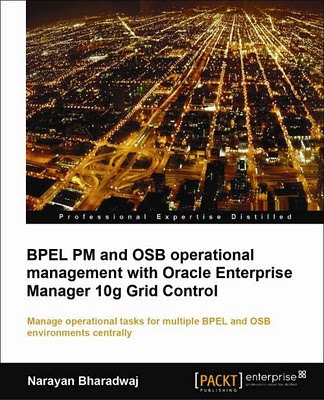
BPEL PM and OSB Operational Management with Oracle Enterprise Manager 10g Grid Control book

Oracle BPEL Process Manager offers a comprehensive and easy-to-use infrastructure for creating, deploying and managing BPEL business processes and Oracle Service Bus transforms complex and brittle architectures into agile integration networks by connecting, mediating, and managing interactions between services and applications.

If we look for step-by-step exercises to assist the administrator in managing these products from Oracle Enterprise Manager 10g Grid Control, I mention book titles BPEL PM and OSB Operational Management with Oracle Enterprise Manager 10g Grid Control written by Narayan Bharadwaj.
This book is written for BPEL and OSB administrators who deal with Oracle BPEL Process Manager, Oracle SOA Suite, or Oracle Service Bus in a production environment and who need to automate operational tasks. If you are an SOA architect or associated with SOA governance, this book will serve as an eye opener for the many available features to provide production assurance in complex SOA environments.

The book is divided into three sections. The first section covers the management of BPEL Process Manager with Grid Control. The second section focuses on management of SOA Suite in general. The third section covers management of Oracle Service Bus.

Chapter 1: Grid Control, BPEL, and OSB Overview, gives a basic introduction to Grid Control that includes download, installation, and basic configuration. This is the foundation technology that provides the infrastructure for managing various targets from a single console.

Chapter 2: Discovering BPEL PM, talks about the discovery and configuration of the BPEL Process Manager target. Discovery of BPEL PM as a Grid Control-managed target is the first step before performing other management tasks.

Chapter 3: BPEL Process Monitoring, talks about viewing deployed BPEL processes and their constituent partner links. It goes on to talk about monitoring of BPEL processes and partner links using a combination of metrics and synthetic tests.

Chapter 4: BPEL Infrastructure Management, describes how to manage the underlying infrastructure components such as BPEL Process Manager server, dehydration database, Application Server, host, and so on. Administrators can manage several disparate systems in groups, reducing the time to detect the root cause of system-related problems.

Chapter 5: BPEL Service-Level Management, describes how to set service-level expectations for BPEL Processes, partner links, and tracking those levels through various metrics. This enables the service providers to monitor agreed-upon contractual guarantees with service consumers.

Chapter 6: BPEL Services Dashboard, illustrates that dashboards are important to visualize service-level performance and metrics for key services. This chapter also walks through how to construct a simple dashboard to show all critical services, and their top metrics, including service levels. Operations typically use this to keep a ready eye on services and act on any deviations from expected SLAs.

Chapter 7: BPEL Deployment Automation, shows deployment of BPEL artifacts is a repetitive and time-consuming task. This chapter describes how to deploy BPEL artifacts to multiple servers in an automated fashion. This ensures deployments are conducted in an error-free manner, and reduces overall scheduled downtime.

Chapter 8: BPEL Configuration Management, describes how to manage the configuration settings of the BPEL infrastructure, including setting baselines, and comparisons. This helps to diagnose problems due to configuration changes as well as standardize configurations across the enterprise.

Chapter 9: SOA Suite Cloning, discusses cloning as a complex administrative task that needs deep product expertise. This chapter walks through a simple scenario to clone an existing SOA Suite from one instance to another. Administrators can use this to perform critical time-consuming tasks in a standardized, error-free manner.

Chapter 10: Web Application Monitoring, describes how to set and monitor Web services using Grid Control service models, SLA rules, and synthetic tests. Web applications can also be monitored—including the recording and playback of HTTP(s) transactions to troubleshoot problems. Application administrators can proactively monitor applications from an end-user perspective.

Chapter 11: Discovery of WebLogic and OSB targets, talks about managing multiple WebLogic domains and OSB instances from a single console, as it is a frequent problem for the middleware administrator. Middleware administrators can use a single console to manage all their installations, perform complex management tasks, and dive into their respective WebLogic or OSB console to perform administrative activities. All of this enables the administrator to standardize management tasks, and hence the behavior of WebLogic and OSB servers, leading to increased uptime.

Chapter 12: OSB Deployment Automation, discusses that deployment of OSB projects and resources to multiple domains can be cumbersome and time consuming. This chapter walks through typical deployment scenarios and how they can be automated using the deployment procedure framework. This enables infrastructure teams to standardize deployments, as well as to track and manage artifacts centrally.

Chapter 13: OSB Proxy and Business Service Monitoring, walks the reader through Oracle Service Bus services that provide a versatile frontend plumbing layer to standardize messages from various sources and differing formats. Any performance bottleneck directly relates to a slowdown in critical backend business processes. This chapter also covers the monitoring capabilities for OSB proxy and business services.
These provide the administrator with visibility into the runtime behavior, and take proactive steps to maintain a high-performing environment.

Chapter 14: WebLogic and OSB Configuration Management, describes that configuration changes are a major cause of downtimes in production environments. This chapter also covers WebLogic and OSB configuration tracking, viewing changes, and comparing and saving configurations. This enables administrators to resolve problems quickly and standardize a set of configurations across the enterprise.

What we will learn from this book :
- Explore BPEL Process Manager and OSB targets
- Monitor BPEL processes, partner links, OSB proxy, and business services using a combination of server metrics and synthetic tests
- Monitor the BPEL instances causing errors by creating SOAP tests
- Manage the BPEL and OSB infrastructure by monitoring configuration changes
- Manage service-level expectations around SOA services
- Create a dashboard to monitor critical SOA services, key metrics, and SLAs
- Deploy BPEL and OSB artifacts in an automated fashion to ensure that the deployments are conducted in an error free manner
- Manage the configuration settings of the BPEL and OSB infrastructure, including setting baselines and comparisons
- Clone an existing SOA Suite from one instance to another to automate the creation of a new SOA Suite environment

This book is useful for us to use Oracle Enterprise Manager 10g Grid Control to manage BPEL Process Manager, SOA Suite and Oracle Service Bus... and we will see Step-by-step of exercises.

Monday, December 14, 2009

Middleware Management with Oracle Enterprise Manager Grid Control 10g R5 Book

- Complete, Open, Integrated Management of Oracle Technologies
- Deep, Optimized, Best of Breed Solutions for Database, Middleware, Packaged Applications, Physical and Virtual Infrastructure
- Business Centric, Top Down Application Management
- Complete Lifecycle Management
- Scalable Grid Management

Enterprise Manager 10g Grid Control (10.2.0.1) and higher version currently provide monitoring for Forms-based applications.

I mention a book titled "Middleware Management with Oracle Enterprise Manager Grid Control 10g R5" written by Debu Panda(blog), Arvind Maheshwari ,they wrote an excellent Middleware Management with Oracle Enterprise Manager Grid Control 10g R5 Guide. This book is helpful to manage middleware and application configures on Enterprise Manager Grid.

What we will learn from this book:
- Gain a deep understanding of the challenges in managing middleware platforms and applications
- Understand the architecture of Enterprise Manager, and how best to set it up
- Discover middleware platforms (WebLogic, OC4J, BPEL, OSB, Coherence, Oracle Forms and Reports, etc. and non-Oracle middleware) from Oracle Enterprise Manager
- Monitor event notifications and diagnostics for middleware platforms and Java EE/Composite applications
- Create and export application service levels
- Manage middleware and application configurations
- Provision your middleware platform
- Build plug-ins for new target types

Reference:

Tuesday, April 15, 2008

ERROR : (nmehl.c,2634):Memory 0x0 encountered, expect struct_id=11708

I found Oracle Grid Agent sent "The application server instance + oc4j down" messages.
When I check on Server,that didn't find any problem about Oracle Application.

So I check on Oracle Grid Agent:
I found below error in emagent.trc file

2008-04-09 10:48:48 Thread-92261280 ERROR http: snmehl_connect: Failed to get address for app02.host: Authoritive Answer Host not found (error = 1)
2008-04-09 10:48:48 Thread-92261280 ERROR fetchlets.dms: Cannot connect to app02.host:6003. retStatus=-32

2008-04-09 10:48:48 Thread-92261280 ERROR : (nmehl.c,2634):Memory 0x0 encountered, expect struct_id=11708

2008-04-09 10:48:48 Thread-92261280 ERROR fetchlets.dms: DMS: Discovery - No response from OPMN: 6003

I think It no NLS_LANG parameter, So set NLS_LANG parameter up. and restarted Oracle Grid Agent:

$ env | grep NLS_LANG

$ export NLS_LANG=AMERICAN_AMERICA.TH8TISASCII

$ emctl stop agent

$ emctl start agent

I haven't found "Memory 0x0 encountered" error message and "applicaton server instance down" alert.

Anyway I'm not sure, I resolved the problem right way. Becuase I still find below error in emagent.trc file:

2008-04-09 10:48:48 Thread-92261280 ERROR fetchlets.dms: DMS: Discovery - No response from OPMN: 6003

when I find out on metalink, I found Note:433792.1:

>>>>>>>>>>>>>>>>>>>>>>>>>>>>>>>>

Cause

DMS C Fetchlet keeps an address book of all components monitored by opmn .This address book had an invalid entry for jserv component. And whenever dms fetchlet tries to connect to the jserv component an error message appears in emagent.trc

Fetchlets are parameterized data access mechanisms used by the Oracle Management Agent. Fetchlets
take arguments (such as scripts, SQL statements, target properties) as input and returns formatted data which is then uploaded by the Agent to the Oracle Management Service.

Dynamic Monitoring Service fetchlet (Accesses data available from a DMS)


Solution


Apply the Patch 4948589 to the agent for the respective platforms .

>>>>>>>>>>>>>>>>>>>>>>>>>>>>>>>>

So I downloaded patch and applied:

$ unzip p4948589_10203_LINUX.zip
$ cd 4948589

set Oracle Home to Agent Path
$ export ORACLE_HOME=AGENT_HOME

$ emctl stop agent

Patch:
$ $ORACLE_HOME/OPatch/opatch apply

$ $ORACLE_HOME/bin/emctl start agent

After patch, I haven't found "ERROR fetchlets.dms: DMS:" message.

*** Perhaps I should patch to 10.2.0.4

2008-04-28 11:03:36 Thread-113908640 ERROR fetchlets.dms: Cannot connect to //hostname:6003. retStatus=-32
2008-04-28 11:03:36 Thread-113908640 ERROR : (nmehl.c,2634):Memory 0x0 encountered, expect struct_id=11708

Somehow we found error about host name, we should check hostname before.
Perhaps it's wrong, if you change server name[check sysman/emd/targets.xml file].


Enjoy!